Most of the time I try to avoid reinventing the wheel. And most of the time I fail and forced to do so. That’s what happened to me when I decided to write my own textual modeling framework. I’ve used (and currently using) Xtext in several projects and tried EMFText once. Both of them are great projects with great possibilities, but I’ve come across a problem which required a different approach. I needed a more dynamic toolkit, where the language is extensible and easier to maintain. Continue reading “Yet another textual modeling framework”
Review of Instant MuseScore
Since I’ve always been interested in computer-aided music notation and a strong proponent of open-source software, I’ve been advocating MuseScore among my fellow musician colleagues since multiple releases. When learning the usage of a new piece of software, questions always pop up about the most common sheet music engraving tasks. When Packt Publishing asked me to review Instant MuseScore, I was eager to see whether this e-book fulfills its promise of being a pragmatic hands-on quickstart guide to the first steps of using MuseScore. Here are some of my thoughts.
Its workflow-oriented structure is very practical (although I would definitely not put the “Barlines and repeats” section into the “Formatting” chapter, especially repeats are clearly not a matter of formatting). The tip about setting the velocity of special notes (e.g. slashes) was new and useful for me. The notes about potential caveats are also helpful and can save a lot of frustration.
For an “Instant” book which aims to be quickly skimmable, more formatting emphases would be good, as well as indicating the keyboard shortcuts for every command mentioned. The used version of MuseScore could be more prominent because there are major UI changes between new versions.
I would note that ties can be inserted with the numeric plus sign (on most keyboards this character is bound to Shift+3, which is reserved for inserting a third below), and also I think it would be important to emphasize that unfortunately, extracted parts are separate copies, not views (as opposed to MuseScore’s commercial counterparts).
When describing expression anchors, I miss mentioning that they also affect playback obviously, not just the layout of the sheet music. In the lyrics chapter, it would be also worth showing the keyboard shortcut of inserting a space into a syllable. (Though this is not the most common case, it occurs quite frequently in some languages, e.g. in Italian.)
One tiny but apparent technical issue with the PDF version of the e-book: the embedded font does not support the Cmd and the spacer icon.
Although I doubt that a book (especially a printed one) is the most suitable medium for teaching the usage of such a complex application (screencasts are better, the best would be tutorials integrated into the interface of the application itself), if you can afford its not too low price, Instant MuseScore will give you a gentle introduction to this feature-packed but yet maturing program.
Xtext Reflective Editor updated for Kepler
Today a new Eclipse version codenamed Kepler was released, with a lot of nice new features, including conflict handling during update, an update user interface for the Marketplace client or various EGit updates (my favorite is the Commit and Push button in the Commit dialog).
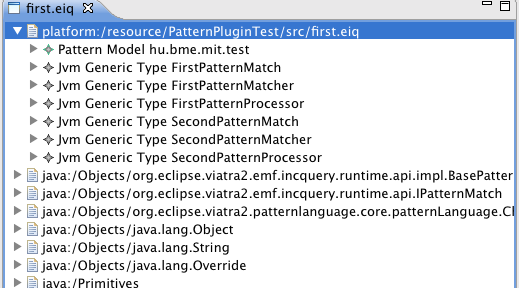
About the less visible stuff, in the modeling projects we use, e.g. EMF, Graphiti or Xtext also got some internal updates, resulting in the need to update our projects. As of now, I updated the Xtext Reflective Editor, as a change in EMF 2.9 made it unusable in Kepler.
I often use this tool to debug the Xtext-based parsers that use Xbase and model inferrers, as it displays the generated model using the EMF reflective editors. Version 0.5.5 is a recommended minor update – it works on both newer EMF/Xtext versions, but maintains compatibility with older EMF versions. It is still downloadable from our update site http://eclipse.cubussapiens.hu.
Thanks for all contributors the new, nice features of Kepler (and of course fixes as well). This can become a new platform for new projects for me – the reflective editor update is only the first of them.
Language Features Enhancing Trust
Alex just facepalmed.
if ( Boolean.TRUE.equals(employee.isHappy) ) {
“Wow, the human invention never ceases to come up with new ways to adorn boolean expressions! Too bad Eclipse doesn’t have a Quick Assist for simplifying them…”
Ah, one of those WWTC moments. That’s when the Show Annotation feature of Subversive comes in handy… which revealed that Bob is the author (unless he only adjusted the whitespaces in that line). “But he already left the office for today. Now, I’ll just simplify it and similar occurrences manually and tomorrow, I’m going to considerately mention to him that he could have written this condition umm… more concisely.” Alex pondered a bit over the commit message, but practiced self-restraint and wrote simply
Simplify boolean expressions...
(though he couldn’t help omitting those ellipses).
Next day, some of the tests of Bob’s module were failing.
– Hi Bob, could we have a look at your code? First, there are some red tests, and…
– Hmm, but I haven’t modified that module since yesterday. Let’s see the exception!
– Okay…
Exception in thread "main" java.lang.NullPointerException

at EmployeeLoader.loadEmployee(EmployeeLoader.java:41)
“Hmm, exactly the line I modified. But…” – thought Alex.
– …how could a simple condition without a single dereferencing cause a NPE?! – asked Bob, confused just like Alex.
– Uh-oh, I think I have a suspicion… Please show the declaration of isHappy…
private Boolean isHappy;
Alex facepalmed once again, but this time the cause was himself.
– NOOO! The dreaded autoboxing! But again, why isn’t it a primitive boolean?
– Hey, now I remember! Employees are parsed from XML using an autogenerated schema. The attribute isHappy is optional, so it might very well be null.
– Sorry, Bob. I feel silly for acting without asking you in advance or running the tests before committing. See, I couldn’t have imagined how this kind of change could break.
– Take it easy, Alex. 🙂 Now you can. In fact, I thought Boolean.TRUE would refer to the attribute’s type being non-primitive unambigously, and the Yoda condition would evoke the possibility of the null value immediately.
– I understand you, but to avoid such misunderstandings in the future, would you mind writing
if ( (employee.isHappy == null) && employee.isHappy ) {
to make it totally explicit that isHappy can be null? Or rather set an optional false value for this attribute in the schema?
– OK, I’ll consider.
Fortunately, Bob took the incident very lightly and his commit message was just:
Revert Alex's "simplifications" :)
The first thing Alex did was to set a warning for boxing and unboxing among the Java compiler settings. As he was accepting the changes, he thought: “Null and primitive types as well are billion dollar mistakes coming from arbitrary language design decisions which reflect implementation details. But at least they tought me to trust my fellow’s code – or at least to inspect the types before refactoring.”
Hi-DPI Eclipse screenshots
Motto:
A picture is worth a thousand words.
Recently I was writing a paper based on EMF-IncQuery, and I wanted to include some screenshots. For good reasons, a 300 dpi photo was recommended, but that represents quite large resolutions for reasonably sized images. Although I couldn’t always get this resolution, but I found some nice tricks to use for later.
Eclipse always allowed configuring some fonts – some time ago I experimented with the theming capabilities of Eclipse 3.x, and could increase a few font sizes, but some widgets such as list or tree viewers did not support such theming. ((Note to myself: I want to experiment with the 4.x theming capabilities, and update the presentation theme to work with the CSS-based themes of e4.))
GMF-based editors, such as the Papyrus UML editor or the Ecore Diagram editor provide support for exporting the diagram in PDF format – a format that retains (most ((However, I did see some interesting glitches related to the background settings of Ecore Diagrams…))) graphical information of the diagram in a vector-graphic format, usable for inclusion in LaTeX documents.
The multitouch zooming support for Zest graphs also helped a lot for screenshots, as I could simply use all available screen area to get a nice shot. Even for graphs that do not contribute their Zoom Managers to the user interface.
Finally, OSX already supports Hi-DPI modes for its entire operating system (dubbed Retina Display), that can also be enabled on non-Retina displays with some hacking: basically by downloading the Quartz Debug program (details for Lion and Mountain Lion) I can reduce the visible resolution to 960×540 pixel on my Full HD monitor. It also supports the use of one monitor as HiDPI and the other as normal – that comes quite hand with applications that do not support HiDPI mode (such as Eclipse out of the box, or Firefox).

One big issue was that Eclipse 4.2 does not support HiDPI resolutions out of the box. Luckily, this was already evaluated in Bugzilla, and in a corresponding Stack Exchange entry. Basically, the info.plist file ((By the way, the XML syntax of the plist files is something awful – it reminds me of the parameter handling in shell scripts or console applications – odd numbered parameters are the keys while even ones are the values. Not that XML allows the definition of attributes or inlined elements – but who cares?)) of the Eclipse.app has to be updated to state it supports High DPI mode, and then the Application itself moved in order to OSX detect the changes.
As a result: Eclipse sees that it has a limited amount screen estate, while in practice it uses 4 times as many pixels. While it is not usable at all for everyday programming, it helped a lot for screenshot creation. ((Except when using Skitch – a nice screenshot manager app. But it does not know about the underlying HiDPI mode, and always created a low DPI shot.))


Alltogether, there are various ways to create high definition screenshots in Eclipse. It helps knowing them and using accordingly. For this reason, I am curious what other ways are there to create screenshots with high resolution – how do you do it?